Node.js-Blog#07 DateObject
How to get the current date, month, year, hour, minutes & seconds in Node.js and is it a dateObject?
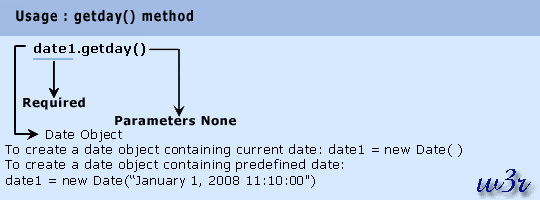
In this article I am going to have an easy but details explanation of Node.js Date object and its usages. The Use-Cases of this Blog is divided into two parts.
PART-1
- Know how to get the current date, month, year, hour, minutes & seconds in Node.js
- Know how to get the current date-time formatted as YYYY-MM-DD hh:mm:ss, YYYY-MM-DD, DD-MM-YYYY etc
- Know how to get the current timestamp
- Know how to get date-time from a given timestamp
* Note: In Node.js date and time are handled with the Javascript Date object. It is loaded by default and requires no import of modules.
PART-2
- Check whether the object is a Date Object or not?
PART-1: Play with Date,Time,Timestamp
1.1 Getting Current Date and Time
Expected format to return: YYYY-MM-DD hh:mm:ss
// Step-1: Create a new Date Object
let date_ob = new Date();

// Step-2: current date
// adjust 0 before single digit date
let date = ("0" + date_ob.getDate()).slice(-2); // getDate : returns the day of the month (1-31) // Do you want to have a hint of how .slice() method works? Check the note at the end.

// Step-3: current month
let month = ("0" + (date_ob.getMonth() + 1)).slice(-2); // returns the month as an integer (0-11). Note that January is represented as 0 and December as 11.

// Step-4: current year
let year = date_ob.getFullYear(); //returns the year in 4-digit format

// Step-5: current hours
let hours = date_ob.getHours(); //returns the hour of the day in 24-hour format (0-23)

// Step-6: current minutes
let minutes = date_ob.getMinutes(); // returns the minute (0-59)

// Step-7: current seconds
let seconds = date_ob.getSeconds(); //returns the seconds (0-59)

//Step-8: Using the above methods one can contruct the date and time as YYYY-MM-DD hh:mm:ss format, or rather to any format.
// 8.1 prints date in YYYY-MM-DD format
console.log(year + "-" + month + "-" + date);  // 2021-03-15

// 8.2 prints date & time in YYYY-MM-DD HH:MM:SS format
console.log(year + "-" + month + "-" + date + " " + hours + ":" + minutes + ":" + seconds); //2021-03-15 13:1:38


// 8.3 prints time in HH:MM format
console.log(hours + ":" + minutes); //13:1
1.2 Getting Current Timestamp and get Date and Time from it
To get the timestamp Date.now() method can be called.
// Step-1: Create a new Date Object
let ts = Date.now();

//Step-2: Get the timestamp in milliseconds
console.log(ts);

//Step-2.1: Get the timestamp in seconds
console.log(Math.floor(ts/1000));

//Step-3: To get the Date and Time from timestamp pass it as a parameter to the Date constructor
//3.1 Pass timestamp as param to Date Constructor
let date_ob = new Date(ts);

//3.2 Get date, month and year from it
let date = date_ob.getDate();
let month = date_ob.getMonth() + 1;
let year = date_ob.getFullYear();

//3.3 prints date & time in YYYY-MM-DD format
console.log(year + "-" + month + "-" + date);
NOTE
How to use .slice() in javascript Syntax: array.slice(start, end) ... the end index will not be included if specified
Example 01:
var fruits = ["Banana", "Orange", "Lemon", "Apple", "Mango"];
var citrus = fruits.slice(1, 3);

Output:
[ 'Orange', 'Lemon' ]
Example 02:
var citrus = fruits.slice(-3, -1);

Output:
[ 'Lemon', 'Apple' ]
PART-2: Is it a DateObject?
Code Example:
var d=new Date();
var util=require('util');
console.log(util.types.isDate(d)) // if it returns 'true', then its a dateObject, else 'false'

---------------------------------------------------------------------------------------
Output: true // means its a date object


